What a Microsoft Teams Room actually is
The failure mode in most conference rooms is not picture quality. It is the first few minutes: hunting for the right adapter, dialing in on a laptop speaker, a guest who cannot get content on the screen.
A Microsoft Teams Room is built to remove that. It is a meeting space built around Microsoft-certified hardware that runs Teams natively, so the room joins the call rather than someone’s laptop. Certified camera and audio equipment, a display and a way to control the meeting from the room replace the cable on the table. Once the room has been configured and invited to the meeting, anyone can start it from the console without connecting anything, and the room has an identity of its own, with its own calendar and its own device health reporting.
The distinction that matters for budgeting is between a certified Teams Room and a room that happens to run Teams. A television with a webcam and a laptop plugged into it can hold a Teams call. What it does not provide is one-touch join to a scheduled meeting, certified audio equipment selected and configured for the space, or the device management that comes with a Teams Rooms license.
What goes in the room, by size
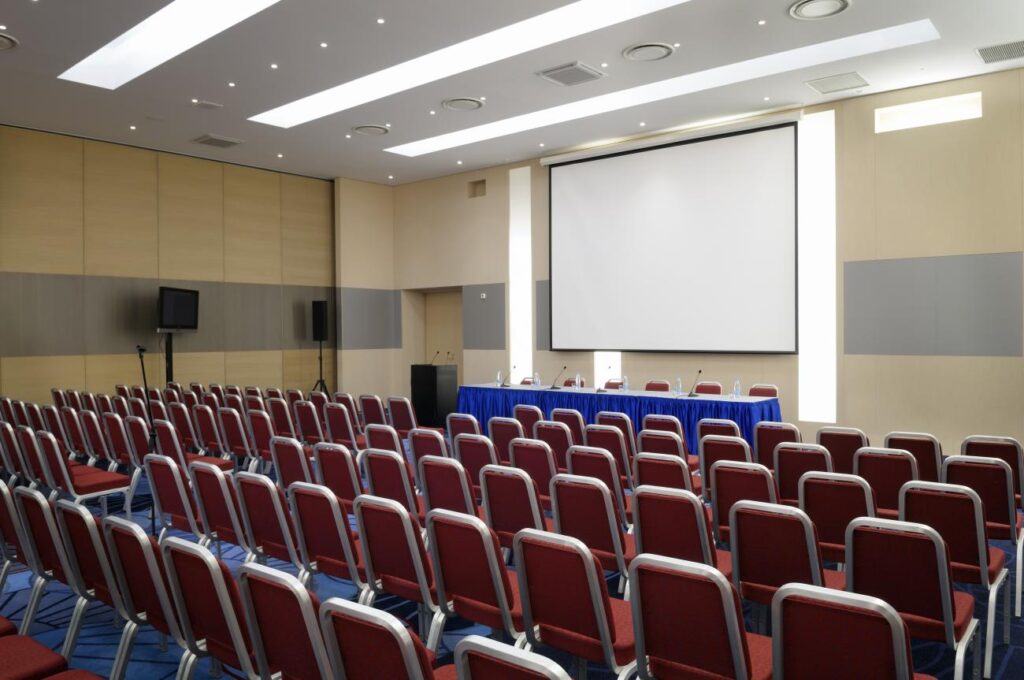
A certified Teams Room needs the same capabilities whatever its size: a system running Teams Rooms, a camera and audio system suited to the space, at least one display, and a way to control the meeting from the room. Those may arrive as separate components or combined in a single integrated device. What changes is how they are built, and size is only part of it. Shape, ceiling height, acoustics and seating layout all bear on what the camera and microphones have to cover, which is why audiovisual (AV) design guidance treats them together rather than setting a single distance rule.
Typical designs look like this.
Huddle rooms, two to six people. A single all-in-one video bar combining camera, microphone and speaker, with one display and a console. In most small spaces a bar mounted under the screen covers the room without separate microphones.
Standard conference rooms, six to twelve people. A video bar still works in many of them. Longer, wider or more reverberant rooms move to a separate camera with ceiling or table microphones. A second display is common, one for content and one for people, which is worth raising at licensing time: dual-screen support requires a Teams Rooms Pro license.
Boardrooms and training rooms, twelve and up. Usually separate components throughout: a camera or camera pair matched to how far it has to see, a ceiling microphone array, separate amplifiers and speakers, and a control system handling sources beyond Teams. These need design work before anyone orders hardware.
More detail on the equipment layer is in our 2026 conference room AV equipment guide. This piece picks up the question that one left open: which platform the room should run.
Teams Rooms, Zoom Rooms, or BYOD
Standardize on the platform your organization already meets in. One point to settle first, because it surprises people: the room needs its own license either way. Microsoft states that per-user Microsoft 365 licenses are not authorized for shared meeting devices, so a certified room needs a Teams Rooms Basic or Pro license of its own.
| Microsoft Teams Rooms | Zoom Rooms | BYOD (bring your own device) | |
|---|---|---|---|
| Room license | Required. Basic free for up to 25 rooms; Pro $40 per room per month, billed yearly | Required. $41.58 per room per month billed annually, $49 billed monthly | None |
| One-touch join | Yes | Yes | No, someone connects a laptop |
| Room bookable on the calendar | Yes | Yes | Possible with a room resource account, without the certified room experience |
| Central management | Device management and analytics, fullest with Pro | Yes | Limited. Peripheral inventory and reporting rather than room management |
| Joining other platforms | Zoom and Google Meet via Direct Guest Join, with limits | Joins Teams and Meet meetings, with limits | Whatever the guest’s laptop runs |
| Hardware | Certified devices required | Supported hardware meeting Zoom’s requirements; certified systems recommended | Any display and USB bar |
| Best fit | Microsoft 365 organizations | Zoom-standardized organizations | Guest-heavy and low-use rooms |
Teams Rooms pricing and licensing rules from Microsoft; Zoom Rooms pricing from Zoom. Both are list prices for the license only. Hardware is separate.
Why Teams usually fits Microsoft 365 organizations. Your people already have Teams, your room calendars already live in Exchange, and your device and sign-in policies already run through Microsoft’s tools. Standardizing rooms on Zoom in that environment means a second meeting platform and a second set of room policies, which can be the right answer but should be a deliberate one.
Where Zoom Rooms fits. Organizations whose clients, partners or members live in Zoom. If most external meetings arrive as Zoom invitations, standardizing rooms on Zoom removes friction rather than adding it.
Where a simpler setup is the honest answer. Not every room justifies the investment in a dedicated room system. A satellite office that meets twice a month, a room where visitors present more often than staff, a space already slated for renovation. A bring-your-own-device room is a display, a USB camera and audio bar, and a cable on the table. It can cost considerably less, though laptop connections and compatibility still need checking, and it gives you neither one-touch join nor room-level management.
On joining Zoom and Meet from a Teams Room. It works, but the experience depends on how the room connects. With Direct Guest Join, Microsoft documents video up to 720p, one front-of-room display, and no content sharing through the room’s HDMI input, so someone may still need a laptop to present. Joining through a supported SIP service can lift some of those limits, with its own hardware, licensing and service requirements. If cross-platform meetings are routine for you, check the platform, the device, the licensing and the sharing method together before committing.
A mix of certified rooms and simpler setups is common. Which rooms fall on which side depends on where the meeting load actually sits.
What a Teams Room needs from your network
Microsoft recommends 10 Mbps up and down per Teams Room and strongly recommends a wired connection rather than wireless. That is sizing guidance, not a claim that every meeting consumes 10 Mbps continuously.
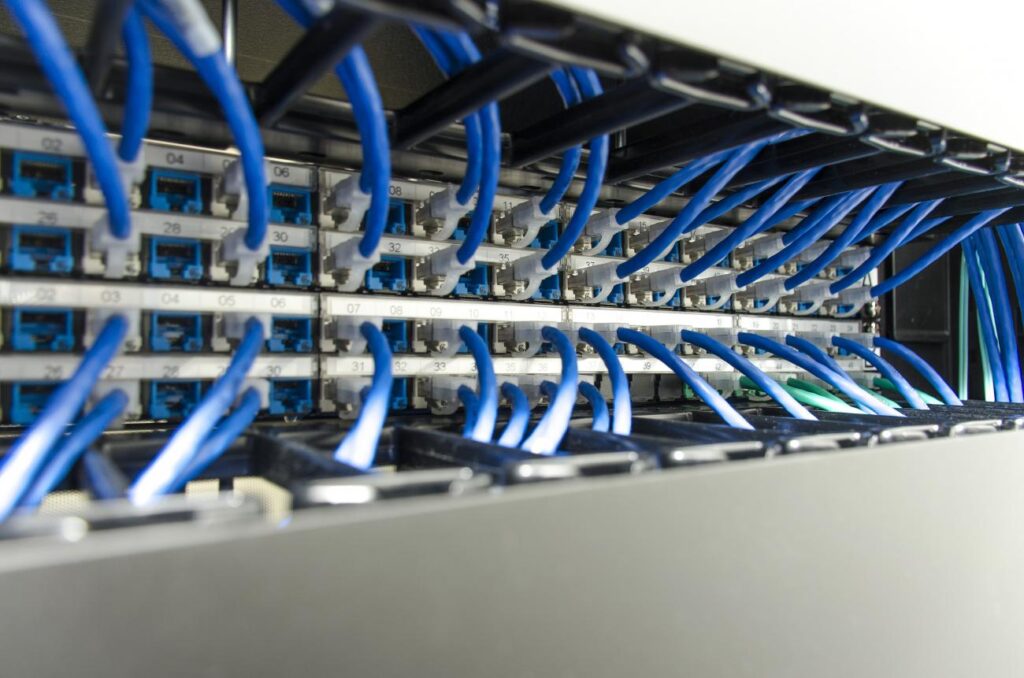
How much cabling a room needs depends on the design. Some rooms connect camera and audio peripherals to the compute unit over USB; others use networked devices that each need an address and often power over Ethernet (PoE), which carries power along the data cable. The equipment decides the drop count, the PoE budget and where power has to land.
From Microsoft’s environment preparation guidance:
-
Bandwidth. 10 Mbps up and down per room, multiplied by the rooms you expect in simultaneous use rather than the rooms you install.
-
Wired over wireless. Where wireless is unavoidable, the guidance is 5 GHz coverage, channel utilization under 50%, and signal strength of -60 dBm or better.
-
Quality of service (QoS). The configuration that tells your network to prioritize voice and video. Putting room devices on their own virtual local area network (VLAN) separates their traffic but does not prioritize it. QoS is what does that.
-
Reachable destinations. Paths to Teams, SharePoint and OneDrive, the management portal, Windows Update, and Microsoft’s device and identity services. Proxy authentication is not supported, which catches people out in tighter environments.
That 10 Mbps figure covers the room’s connection to Teams. It does not size audio and video distributed over your building network, which carries its own switching and timing requirements and needs designing separately.
None of this is exotic, but it is where coordination breaks down, because room design and cabling are often handled by different companies and the assumptions each makes about the other are rarely written down. The symptom shows up on site: no PoE where the camera goes, or the only available drop on the wrong side of the room from the display. SYSTCOM designs and installs both, so those decisions get settled while the room is still on paper. See our network cabling and audio visual services.
What installation includes beyond hardware
Equipment arriving is not the finish line, and the gap between a delivered room and a working one is where projects lose time.
Setup. A room account created and licensed, the room published to your calendar system so people can book it, the device enrolled and configured, and access policies agreed with your IT team.
Testing. Audio and video adjusted for the actual space, then a real meeting run end to end before anyone has to depend on it.
Training. A short handover with the people who use the room. This is what stops a working Teams Room from being used as a laptop-and-cable room anyway.
Some of that usually sits with the customer’s IT team and some with the integrator. Agree which is which before the install date, because that handoff, not the hardware, is what slips.
What to budget
Published industry ranges give a starting point for a capital request, with one caveat worth stating plainly: they describe general conference room AV projects rather than verified certified Teams Rooms installations. A widely cited 2026 conference room AV cost guide puts typical project budgets at:
| Room type | Illustrative project budget |
|---|---|
| Huddle, 2 to 6 people | $3,000 to $7,000 |
| Standard conference, 6 to 12 | $7,000 to $20,000 |
| Large conference, 12 to 20 | $20,000 to $55,000 |
| Boardroom, 20+ | $50,000 to $130,000 and up |
Those figures cover equipment together with design and installation labor. The same guide treats cabling and infrastructure, at $500 to $2,000 per room, and the room license as separate from them. Treat all of it as planning context rather than a quote. Your own number depends on the room, the state of the cabling already behind the walls, and whether you are fitting out new space or retrofitting finished space, which generally costs more because the work has to be threaded through what is already built.
What quotes tend to leave out. Cabling, network drops and power work. The room license, an operating cost rather than capital, which often lands in a different budget column and gets missed. Display mounts, in-table connectivity and cable management. Setup, testing and training. And refresh, since displays, cameras and compute rarely come due in the same year.
A request that gets approved names the rooms and their sizes, separates one-time capital from the recurring license, carries cabling and network work as its own line rather than assuming it is covered somewhere, and includes a contingency allowance. Ten to fifteen percent is a common planning figure.
Standardizing across more than one room
The questions change once you pass about three rooms. A single room is a purchase. A set of rooms is something that has to be run.
Pick one hardware family and stay in it. Mixed vendors mean mixed firmware cycles, mixed consoles and mixed behavior for the people walking in. Someone booking a room in one office should not have to relearn the table in another.
Decide who owns the room. Facilities owns the furniture, IT owns the network, and the AV sits between them. Where rooms stay reliable, someone is named. Where they degrade, each department assumed it was the other.
Match the license tier to what you need. Basic is free and covers core meeting experiences for up to 25 rooms. Past 25, additional rooms have to be Pro, which is also where dual-screen support, peripheral health management, device analytics and Conditional Access policies live.
Keep the cabling documented as you go. When a room changes in three years, the difference between a documented install and an undocumented one is mostly labor spent working out what is already there.
For government and public sector buyers
SYSTCOM maintains a current contract with the GSA and is a certified Veteran Owned Small Business (VOSB). Both are listed on our government vehicles page along with our CAGE code and NAICS codes.
It is worth being precise about what a schedule does. It does not remove competition or ordering requirements: orders placed against a GSA schedule still follow the applicable ordering procedures, and whether a state, county or other non-federal buyer can use a federal schedule depends on the buyer’s eligibility, the purchasing program and the contract category. What it gives an eligible buyer is a contractor whose pricing, terms and conditions have already been reviewed and accepted by the government, so the buying office can compare quotes against established terms rather than build a solicitation from scratch. For organizations carrying small business or veteran-owned participation goals, VOSB status counts toward them.
If your project involves restricted areas, specific physical security requirements or federal accessibility standards, those constraints belong in the room design from the beginning rather than surfacing at installation.
Start with the rooms, not the platform
The platform choice often starts with what your organization already uses. The harder decisions are how many of your rooms justify a certified system, what each space will physically support, and what your network and cabling need before any of it works.
A site walk answers those. We will look at your spaces, tell you which rooms justify a certified Teams Room and which are better served by something simpler, and give you room-by-room ranges you can take into a budget request. If your 2027 capital request is due this fall, this is the month for that conversation rather than January.
Call SYSTCOM at 1-800-487-9602 or request a site survey
Frequently Asked Questions
Do we need a separate license for a Teams Room if we already have Microsoft 365?
Yes. Microsoft states that per-user Microsoft 365 licenses are not authorized for shared meeting devices, so each room needs its own Teams Rooms license. Basic is free for up to 25 rooms. Beyond that, additional rooms require Pro, which also adds dual-screen support, device analytics, peripheral health management and Conditional Access.
What equipment does a Microsoft Teams Room need?
A system running Teams Rooms, a certified camera and audio system suited to the space, at least one display, and a way to control the meeting from the room, usually a touch console. Those may be separate components or combined in one integrated device. Small rooms often combine camera, microphone and speaker in a single video bar; larger or more reverberant rooms use a separate camera with ceiling or table microphones.
Can a Teams Room join Zoom or Google Meet meetings?
Yes, through Direct Guest Join, with limits worth knowing before you rely on it. Microsoft documents video up to 720p, a single front-of-room display, and no content sharing through the room's HDMI input, so someone may still need a laptop to present. A supported SIP service can lift some of those limits, with its own hardware and licensing requirements.
How much bandwidth does a Teams Room need?
Microsoft recommends 10 Mbps up and down per room and strongly recommends a wired connection rather than wireless. That figure covers the room's connection to Teams. It does not size audio and video distributed over your building network, which needs designing separately.
Should the AV integrator or our cabling contractor handle the network drops?
Whoever does it, the room design and the cabling need deciding together, because the equipment determines the drop count, the PoE budget and where power has to land. SYSTCOM does both: our audiovisual work is delivered by AVIXA-certified professionals, and we design and install structured cabling for the same rooms.