If you own the conference room budget line, the question that lands on your desk in the fall is deceptively simple: what actually goes in the room, and what drives the cost? This guide walks the equipment stack the way an integrator specs it, from the display on the wall to the cabling behind it, then shows you which variables move the number so you can build a 2027 capital request that survives review.
This guide does not carry a dollar figure, and that is deliberate. Per-room ranges swing too far by room size, ceiling height, existing infrastructure, and platform choice to quote responsibly on a page you have not walked. What is stable is the structure: the categories of equipment, the variables that move the total, and what a complete proposal has to account for. Knowing them lets you read a proposal instead of trusting one.
The display: what people see first
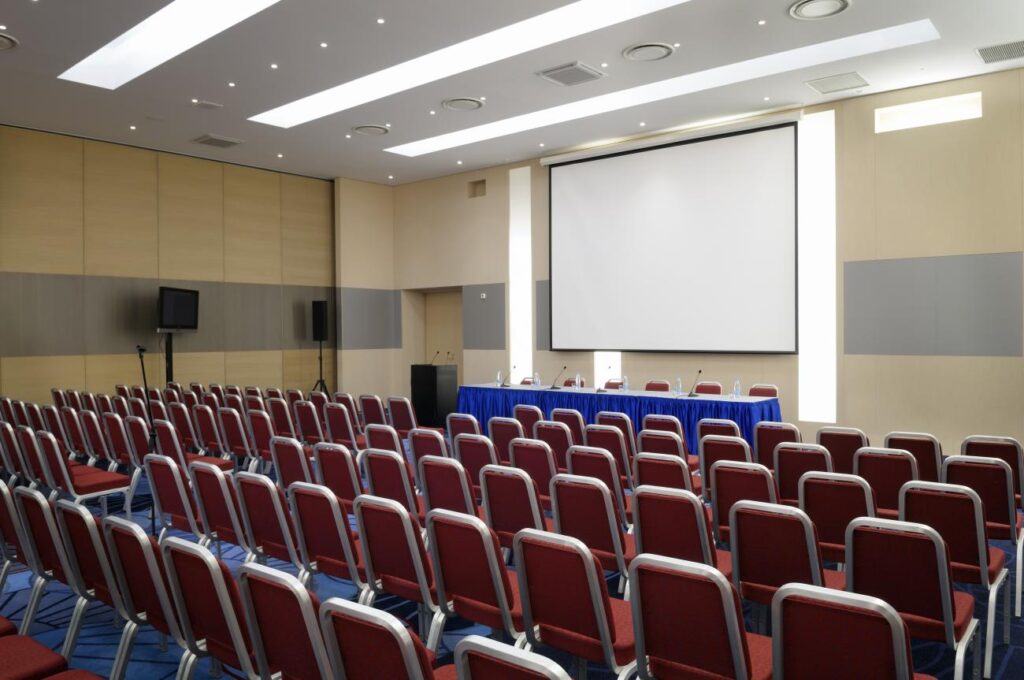
The display is the anchor of a conference room AV installation. Nearly every modern room lands on a direct-view flat panel or an LED wall. Projection still shows up in large lecture and divisible training spaces where throw distance and image size justify it, but for conference and boardroom work it has largely given way to flat-panel and LED, which is where the options below sit.
-
Direct-view flat panels in the 65-inch to 98-inch range cover most huddle and mid-size rooms. They are bright, need no lamp maintenance, and read well in a room with normal lighting.
-
Dual-display setups put content on one screen and remote participants on the other, which matters more as hybrid meetings become the default.
-
Direct-view LED walls are moving down-market into boardrooms and larger training spaces. They carry a higher cost and a real structural and power conversation, but they remove the seams and brightness limits of tiled panels.
Plan a single-display mid-size room around the display plus mount plus the signal path to it. The panel is rarely the line item that surprises people. What connects to it usually is.
Cameras, audio, and the all-in-one bar
This is the category that has changed most, and it is where platform certification starts to matter. For small and mid-size rooms, the market has consolidated around the video bar: camera, microphones, and speakers in one certified unit that mounts under the display.
The certified-device market has consolidated around three families: the Logitech Rally line, the Poly Studio line, and the Cisco Room line. Each ships in tiers scaled to room size, and each is certified for the major meeting platforms, which is what keeps a deployment from becoming a support ticket.
Larger rooms break the bar apart into components:
-
PTZ cameras (pan-tilt-zoom) at the front and sometimes the rear, for framing that follows the speaker.
-
Ceiling microphone arrays that cover a full table without a forest of tabletop mics, tuned with digital signal processing.
-
Networked loudspeakers sized to the room so the far end is heard evenly at every seat.
-
A DSP and control processor that ties audio, video, and room control into one managed system.
The rule of thumb: below roughly twelve seats, a bar usually does the job. Above that, you are into a components build, and the cost and design effort step up accordingly.
The platform decision drives the hardware
Before you buy a single camera, decide which platform the room certifies to. Microsoft Teams Rooms, Zoom Rooms, and Google Meet each have certified-device programs, and the certification determines which bars, touch controllers, and compute you can deploy.
This matters more than any single spec because standardizing the platform across your building is what makes every room behave the same way, which is what actually reduces support load. We will go deep on Teams versus Zoom in a companion guide, but for equipment planning the point is this: pick the platform first, then let it narrow the hardware list. A room bought platform-agnostic and reconciled later almost always costs more.
Control, connectivity, and the table
The parts users touch are a small share of the budget and most of the daily experience:
-
A touch controller on the table or wall to start and manage the meeting.
-
Table connectivity for wired and wireless content sharing, so a guest can present without an account.
-
Scheduling panels outside the door that show room status and pull from your calendar system.
-
Occupancy and environmental sensors feeding the space-utilization data that facilities teams increasingly report on.
What sits behind the wall
Here is the part most equipment lists skip, and it is where projects go over budget when they are not planned for. A conference room is only as good as the infrastructure feeding it.
-
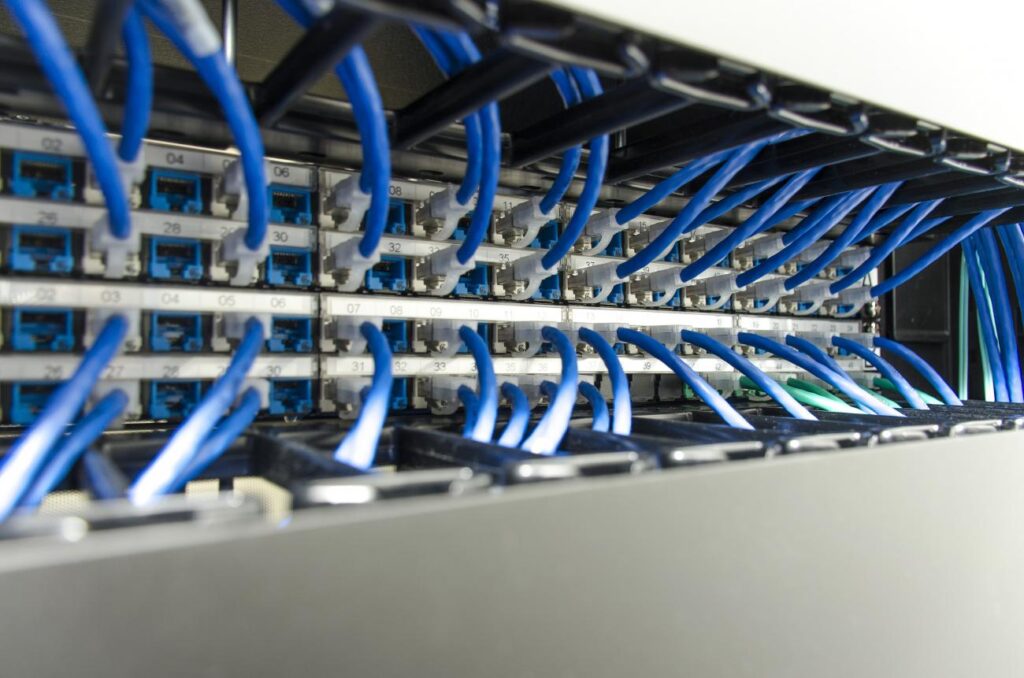
Cable category and pathways. Certified AV bars and cameras run on the network, so they need the right cable category and clean pathways to each device location. Retrofitting a room that was not cabled for AV is where surprise cost lives.
-
PoE budget. Cameras, panels, and controllers increasingly draw Power over Ethernet. The switch has to have the PoE budget to feed them, and that is a network conversation, not an AV afterthought.
-
Rack, power, and thermal. Components rooms need a rack, conditioned power, and airflow. Bars need far less, which is part of their appeal.
This is exactly where a single vendor who does both cabling and AV earns its keep. Most AV integrators do not pull cable, and most cabling contractors do not design AV, so the seam between the two becomes your problem to manage. SYSTCOM does both, with AVIXA-certified design staff, which means the audio-visual system design and installation is engineered against the structured cabling from the start rather than discovered on install day. The same scope covers the pathways, PoE budget, and switch capacity, tying the room into the wider building infrastructure instead of leaving a gap between trades. If you are asking who can handle the cabling and the AV under one scope, that is the answer.
What drives the cost, and how to read a proposal
The dollar figure moves with the room, but the structure of a per-room budget is consistent. Three variables push it hardest:
-
Room tier. The bigger the room, the more the equipment list breaks from a single certified bar into discrete components.
-
Existing infrastructure. A room already cabled for AV with PoE headroom on the switch costs far less than one that has to be retrofitted. This is the single biggest swing between two otherwise identical rooms.
-
Platform and certification tier. The device list your platform certifies narrows what you can deploy, and higher certification tiers cost more.
Room tier is the cleanest way to see the equipment stack scale. This grid maps the four common tiers to what typically goes in each:
Huddle room (2 to 6 people)
-
Display: single flat panel, 55 to 65 inch.
-
Camera and audio: one certified video bar.
-
Control and infrastructure: touch controller, table connectivity, single PoE run.
Mid-size conference room (6 to 12 people)
-
Display: single or dual panel, 75 to 98 inch.
-
Camera and audio: higher-tier bar or entry components.
-
Control and infrastructure: touch controller, table connectivity, multiple PoE runs.
Boardroom (12 to 20 people)
-
Display: dual panel or LED wall.
-
Camera and audio: PTZ cameras, ceiling mic arrays, networked loudspeakers, DSP.
-
Control and infrastructure: control processor, rack, conditioned power, thermal management.
Training or divisible room (20+ people)
-
Display: LED wall or projection, often multi-zone.
-
Camera and audio: multiple PTZ cameras, distributed mics and speakers, DSP.
-
Control and infrastructure: control system, AV-over-IP, rack, dedicated circuits.
Two costs hide inside every tier and get left off incomplete proposals: the infrastructure behind the wall, and installation and commissioning labor. A proposal that lists only equipment is not a complete proposal. When you compare two bids, the one that itemizes cabling, PoE, rack, power, and commissioning is the one you can trust. Our companion budgeting guide breaks down the full 2027 planning number line by line.
A note for procurement and public-sector buyers
For government, higher-education, and public-sector procurement teams: SYSTCOM holds a GSA schedule and is a Veteran-Owned Small Business (VOSB). If those statuses are pass/fail filters on your acquisition, they are in place, and we can supply the documentation your process requires.
Start with the room, not the catalog
The fastest way to turn this guide into an accurate number is to have someone measure the actual room: its size, sightlines, existing cabling, and switch capacity. A site survey is low-commitment and gives you a defensible figure for the budget request, well before you are asked to justify it.
To book a survey or ask an equipment question, call SYSTCOM directly at (443) 557-1500. A named engineer will walk the space with you and scope it against your platform and your 2027 timeline.
Frequently Asked Questions
What AV equipment does a conference room need?
A modern conference room needs a display (65 to 98 inch flat panel, or an LED wall for larger rooms), a camera and audio system, a touch controller, and table connectivity for content sharing. For small and mid-size rooms, an all-in-one video bar (Logitech Rally, Poly Studio, or Cisco Room families) combines camera, microphones, and speakers in one certified unit. Rooms above roughly twelve seats move to separate components: PTZ cameras, ceiling microphone arrays, networked loudspeakers, and a DSP. Behind all of it sits the network infrastructure: the right cable category, clean pathways, and enough PoE budget on the switch.
What drives the cost of conference room AV?
Cost moves with three variables: room tier, existing infrastructure, and platform certification tier. Room tier is the first: a huddle room (2 to 6 people) with a single display, one certified bar, and a touch controller is the lowest tier and easiest to standardize; a mid-size room (6 to 12) adds a larger or dual display and table connectivity; a boardroom or training room (12+) moves to components audio and video, a DSP, a control system, and often an LED wall. Existing infrastructure is the second and the biggest swing: a room already cabled for AV with PoE headroom costs far less than one that has to be retrofitted. Platform and certification tier is the third: the device list your platform certifies narrows what you can deploy, and higher tiers cost more.
How do I read an AV proposal so I can compare bids?
A complete proposal accounts for more than the equipment list. When you compare two bids, the trustworthy one itemizes the infrastructure behind the wall (cable category, pathways, PoE budget), the rack and conditioned power where components rooms need them, and the installation and commissioning labor. A bid that shows only hardware is hiding the two costs that most often push a project over budget. Knowing the categories lets you read a proposal instead of trusting one.
Should I choose Microsoft Teams Rooms, Zoom Rooms, or Google Meet first?
Decide the platform before you buy any hardware. Microsoft Teams Rooms, Zoom Rooms, and Google Meet each run certified-device programs, and the certification determines which bars, touch controllers, and compute you can deploy. Standardizing one platform across your building is what makes every room behave the same way and reduces support load. A room bought platform-agnostic and reconciled later almost always costs more.
Do conference room cameras and video bars run on the network?
Yes. Certified AV bars, cameras, panels, and controllers increasingly run over the network and draw Power over Ethernet, so the room needs the right cable category, clean pathways to each device, and enough PoE budget on the switch to feed them. This is why AV and cabling should be scoped together. Retrofitting a room that was not cabled for AV is where surprise cost lives.
Can one company handle both the cabling and the AV?
Yes, though it is uncommon. Most AV integrators do not pull cable, and most cabling contractors do not design AV, which leaves the seam between the two for the customer to manage. SYSTCOM has done both for decades, with AVIXA-certified design staff, so pathways, PoE budget, and cable category are engineered for the room from the start rather than discovered on install day.